
EventLingo Alerts · EventLingo LLC
EventLingo text-message opt-in: screenshots
EventLingo Alerts is EventLingo LLC's transactional text-message program: one-time sign-in codes and alerts about a person's own tickets and account. We text a number only after its owner ticks the consent box shown below.
Texting is optional and not required to buy tickets, RSVP or sign in.
Screens captured from the EventLingo website build with fictional data (number (555) 555-0100, no real person). Phone sign-in is currently switched off on the live site until carrier verification is complete; these are the exact screens it shows when it is on.
The exact consent wording (next to an unticked checkbox)
I agree to receive text messages from EventLingo LLC at the mobile number I provide, including login codes and account alerts. Consent is not a condition of purchase. Message frequency varies (up to ~5 per month typical; one per login request). Msg & data rates may apply. Reply STOP to cancel, HELP for help. See our Privacy Policy and Terms.
The line under the box on sign-in
If you enter a U.S. mobile number and tick the box, EventLingo LLC will text you a one-time sign-in code (one text per request). Msg & data rates may apply. Reply STOP to cancel, HELP for help. How our texts work: eventlingo.com/sms
Screenshots
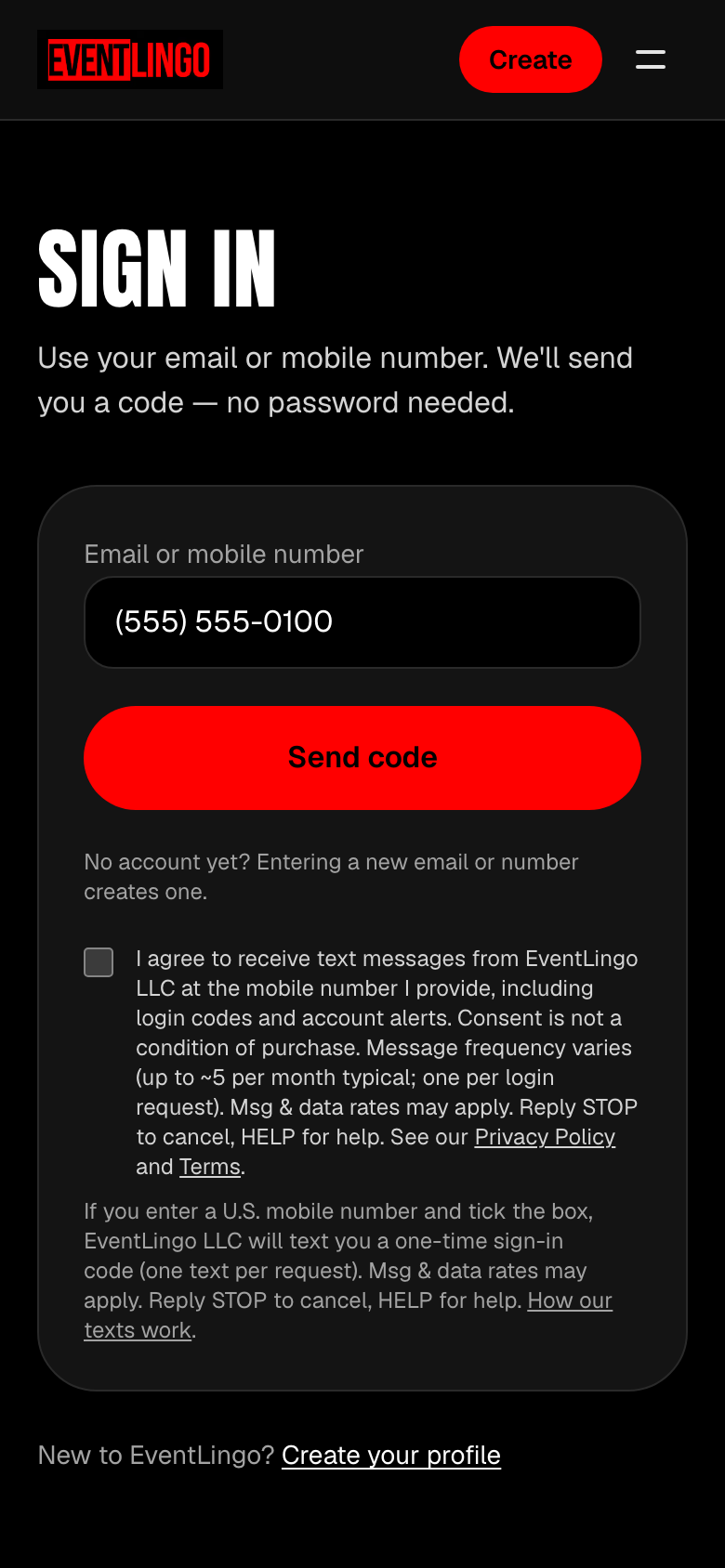
eventlingo.com/sign-in on an iPhone. The person typed their own mobile number (shown: the fictional (555) 555-0100). The text-consent box is never ticked for them. Below it: the disclosure and a link to "How our texts work" (/sms); the box's wording links the Privacy Policy and Terms.
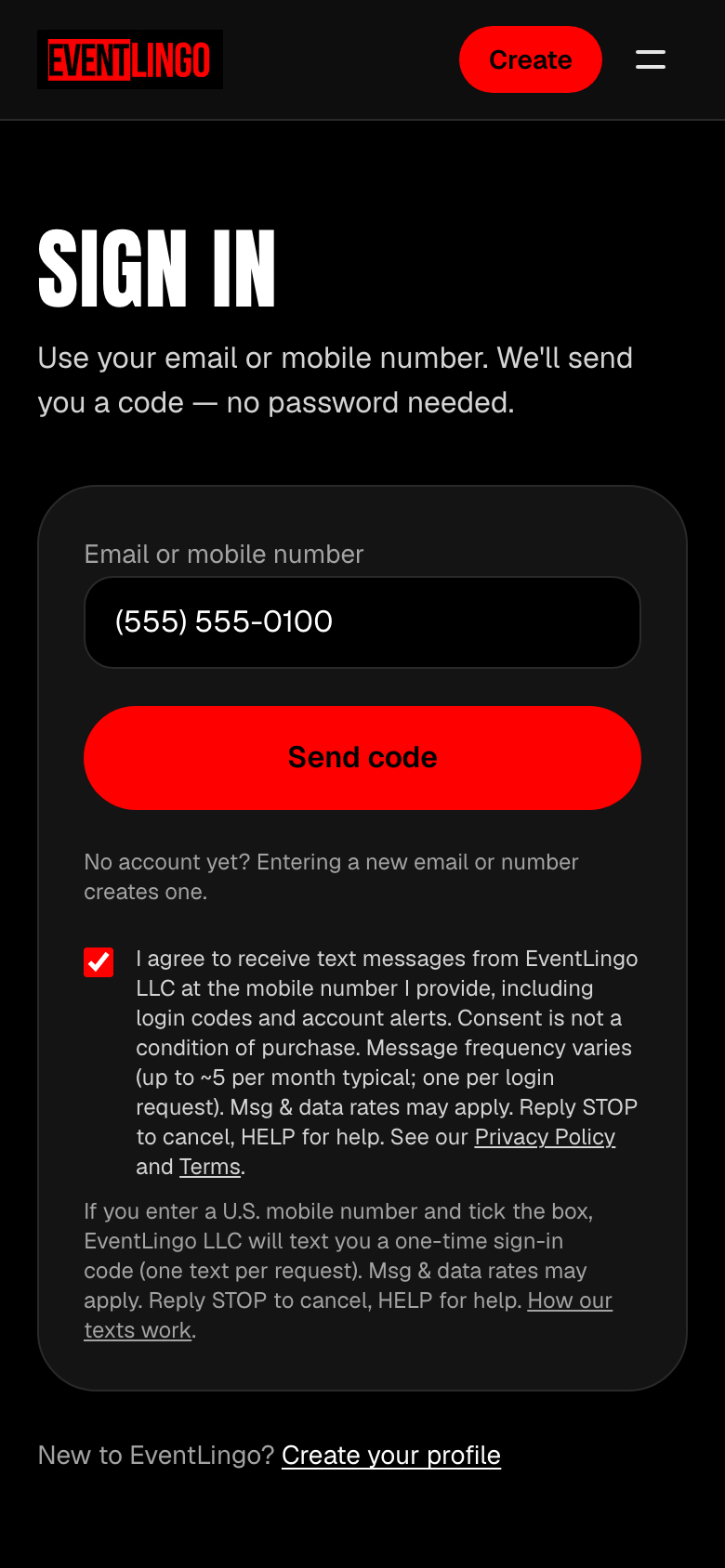
Only after the person ticks the box can a sign-in code be sent by text. The server records the consent (wording version, time, hashed IP) before any text is sent.
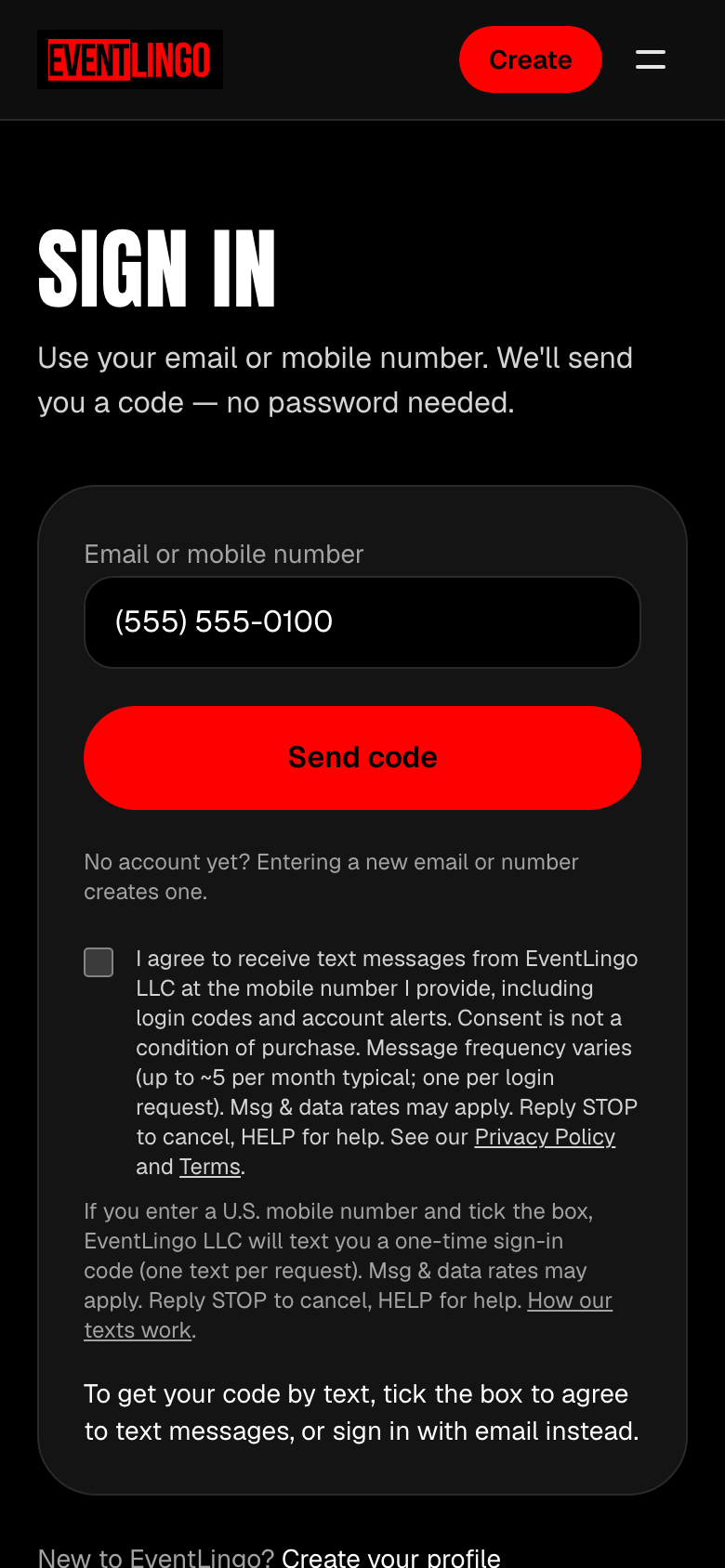
Nothing is sent. The form shows: "To get your code by text, tick the box to agree to text messages, or sign in with email instead." Texts need consent; email sign-in always works without it.
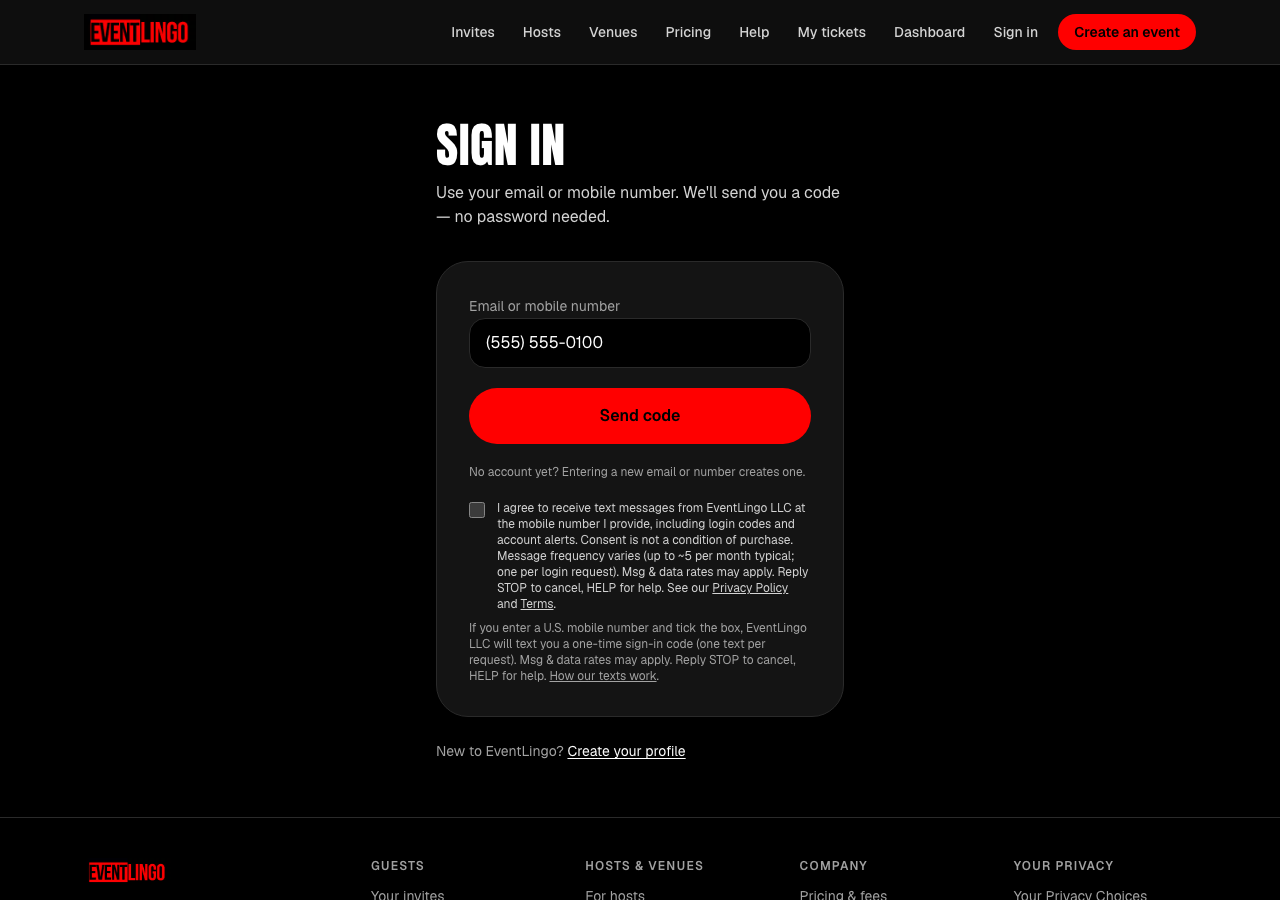
Same form, same unticked box and wording, on a 1280-pixel-wide desktop window.
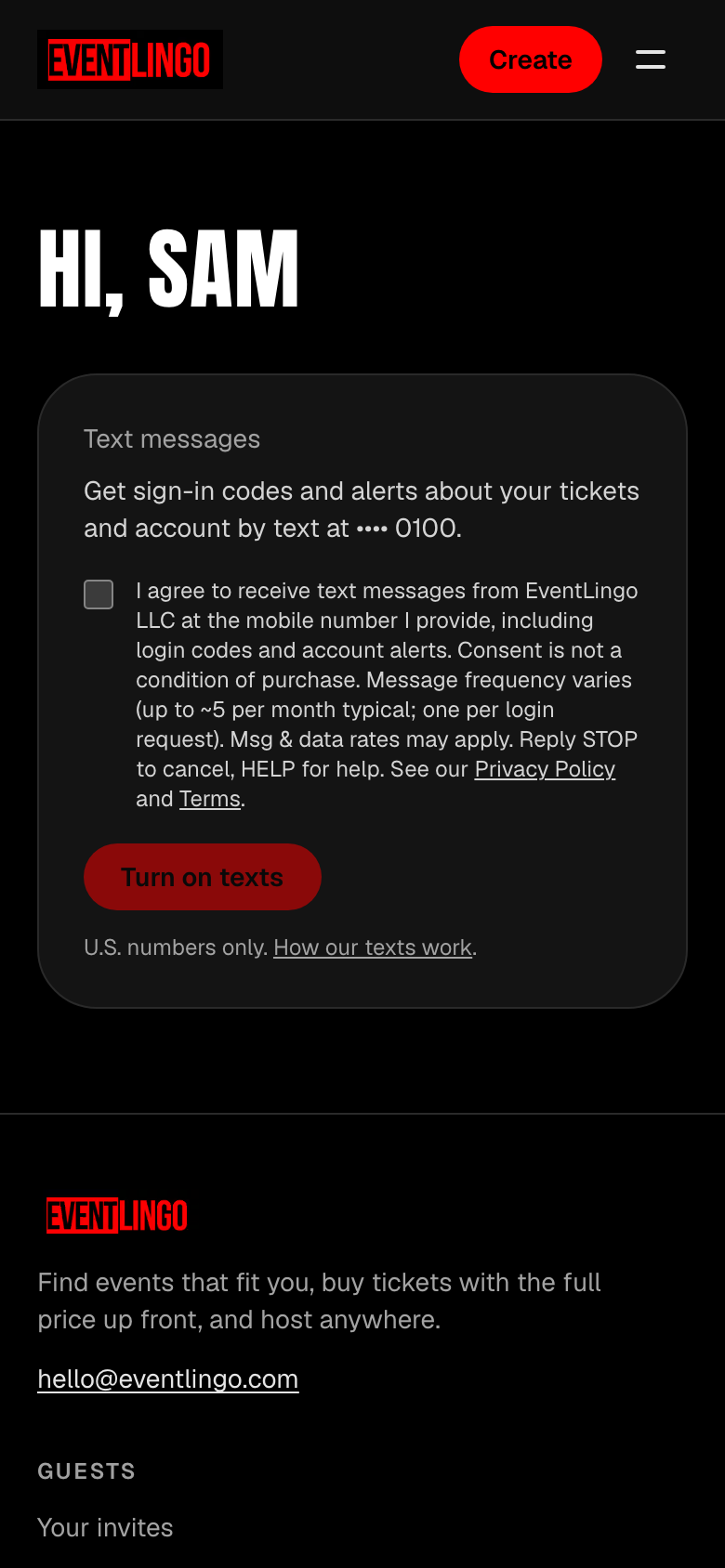
Signed-in people can turn texts on from their account page. The same unticked box and wording; "Turn on texts" stays disabled until the box is ticked. (Fictional account; number masked.)
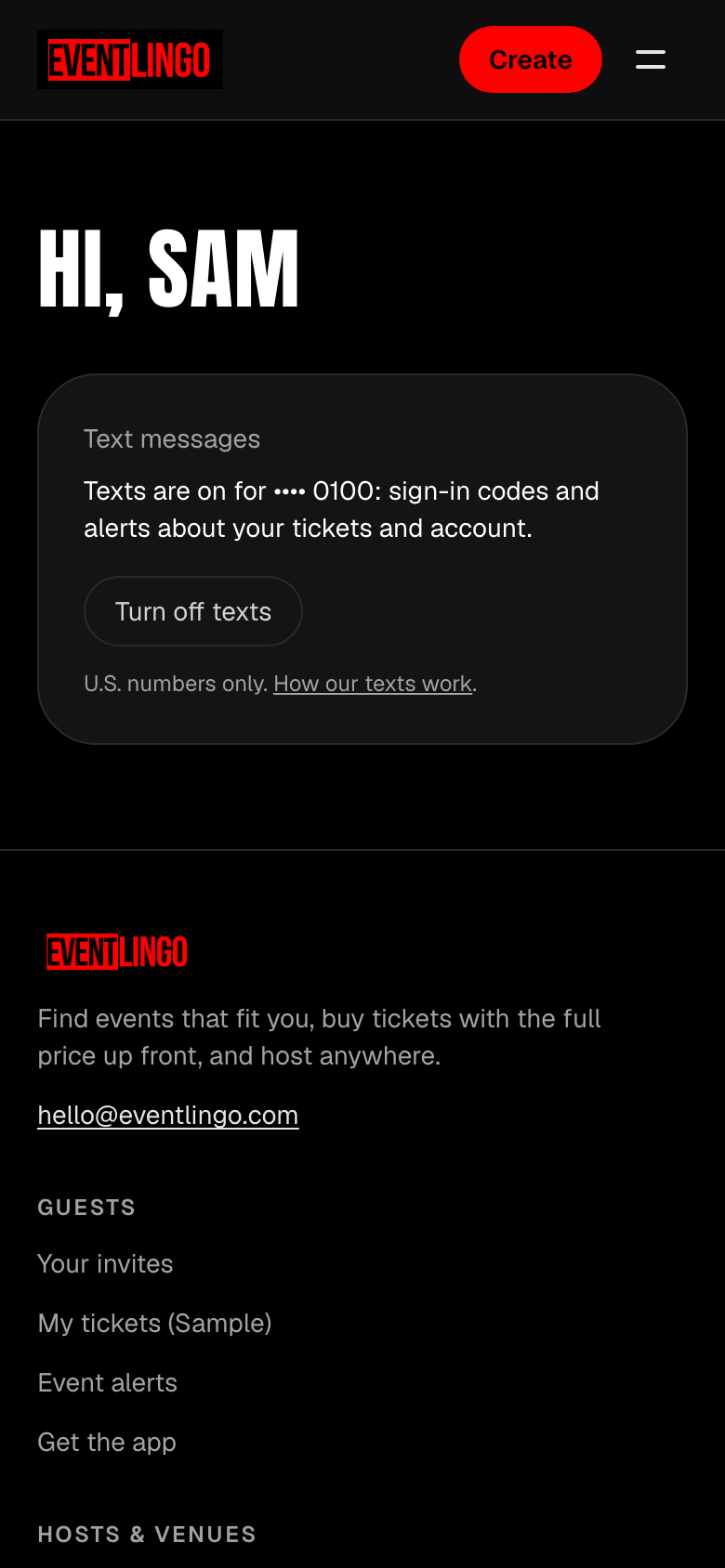
After opting in, "Turn off texts" withdraws consent at any time (the same as replying STOP).
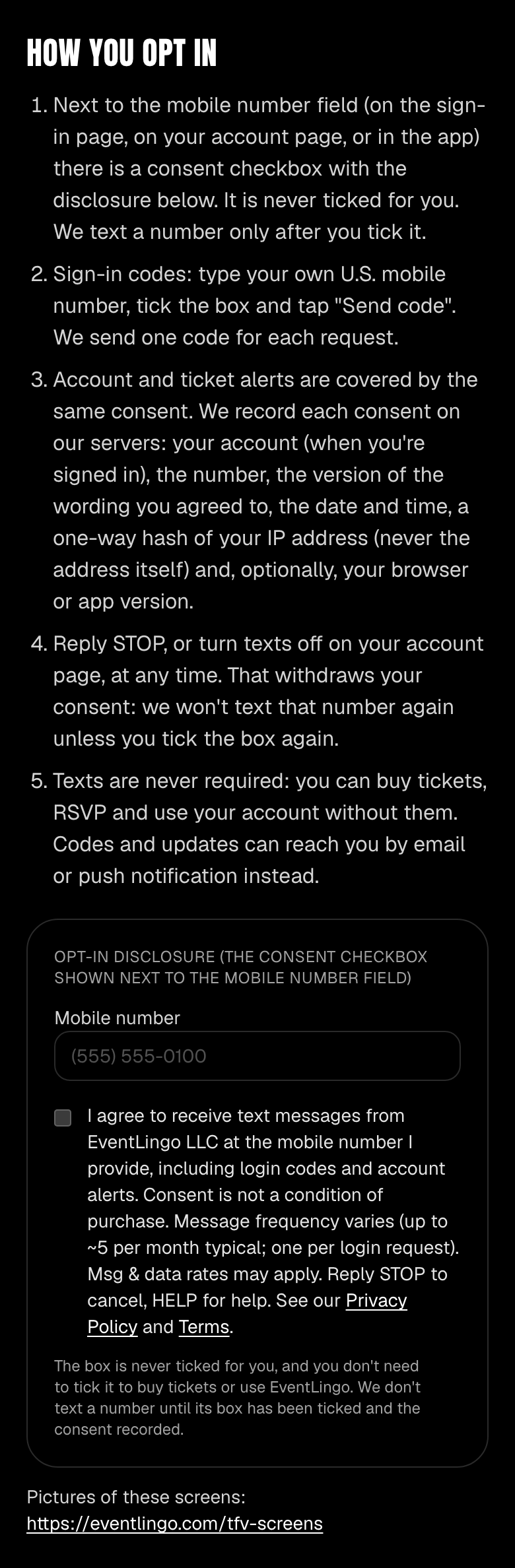
The EventLingo Alerts program page shows the same box and wording, explains that it is never pre-ticked, and links these pictures.